Posts

Album Covers

Image
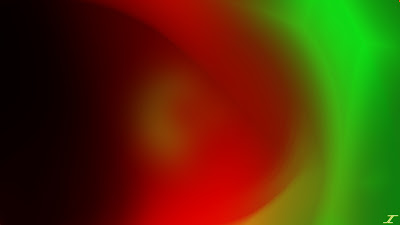
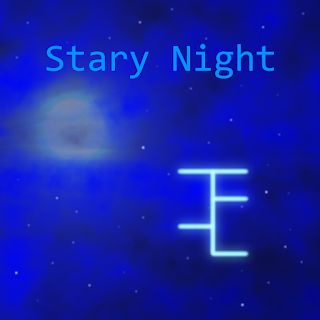
So I recently have started a new project, which is making artwork for an artist on SoundCloud. Their name is Just Computerized, and their SoundCloud music can be found  here . They mainly make electronic music, so that's been fun to be a part of something different. Never thought I'd do something for someone that is starting a music sort of thing. Anyway, here are some of the album artworks I've done. The first one is of a single they created called Stary Night, then the other two are going to be albums that they are making. So far to this date, they have two under Processing... and one under Quarantine, with more to come. I'm more of a rock music listener myself, but their music is definitely catchy, especially their song Processing. Hope you enjoy my album art, and pease check this artist out, they seem to be making pretty good stuff!
Fire's Awakening

Image
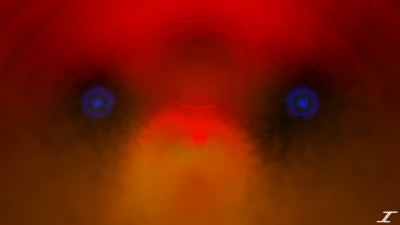
The month of May usually means warmer weather is ahead. That means summer is coming, and to celebrate the entrance of summer, I decided to make a warm colored image. I didn't really know where I was going with this for a while, but then toward the end it became a bit clear. Here is the image that I call Fire's Awakening. I started similarly to Mystic Rosettes, with a bit of orange in the middle, then adding effects after effects to fill the screen. Namely Radial Blur, Gaussian Blur, Dents, Frosted Glass, and Polar Inversion. I then used Reflect, Screen, and Additive layer blend modes to make it brighter. I then added red the same way and did the same thing to make it grow until the red was on top with Polar Inversion. I then duplicated the bottom orange and Darkened it to make everything else pop. I then saw the "eye holes" and decided to add two blue fire eyes. I did it with Frosted Glass, Dents, Radial Blur, and Gaussian Blur. I then duplicated it twice and u...

Dude Perfect Wallpaper

Image
First, may I just say that I hope that everyone is doing well with the COVID-19 pandemic. Please stay safe, and if you feel sick, stay home. Hopefully we can kick this pandemic in the butt before it takes more lives. I've actually had this image done for a while, and my main reason for making it is because they are awesome, and my kids really love their content. This is meant to be a dual monitor image, so I will have a download link toward the end of this post if you wish to use it. I actually had to do some hunting for a PNG transparent image of their logo, and then for the font for the other text. I then had a logo from them that had that green color, which allowed me to get busy. Here is the Dude Perfect dual monitor image. I have it split in two for the purposes of this blog, but it is initially a dual monitor, 4K image. It took a while to get it rendered on my little laptop, but it was well worth it. It was a simple image to make, had some Zoom Blur on the color com...

Molten Echos

Image
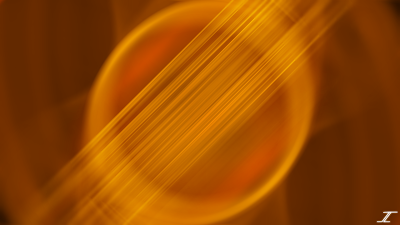
Welcome back to another installment here on Julio PDN Pictures. I'm trying to make more unique images, since it seems that recently I've been discovering new techniques to bring to my images, and now I can kind of merge everything to make somewhat stellar images for you. Below I have one I call Molten Echos. I started out with the lines there in the middle using Motion Blur, then everything evolved out of that. The circles in the middle were done with Polar Inversion, and I deleted everything I didn't want from that effect. I then selected the initial Motion Blur to the diameter of the circle, inverted the selection and did a small Gaussian Blur. I kept moving that selection out ever so slightly, repeating the effect so that it fades out as it goes. Then the orange background was made with Radial Blur, Radial Extruder, and fading it slightly. I then made the circles and lines glow with Additive, Screen, and Color Dodge layer blend modes. Again, I enjoyed making thi...

Mystic Rosettes

Image
As you may have noticed, I've only posted one image in January, and here I am on Valentines Day to give you yet another image. I'm a bit bogged down with work and home life taking a greater toll, so I may not be able to do two images each month like I have been. I'll keep you posted on that. This one I wanted to make it look a bit flowery and to make it pink for Valentines Day. I think I accomplished both feats with this image titled Mystic Rosettes. The center is what I started with, mostly making a flower shape out of scribbles. I then did a Gaussian Blur to blur it out a bit, then did a few radial blurs to spread it out a bit. I then did two Polar Inversions to kind of separate them and give it a few inner "pedals" in the center. I then filled in some black with some rose color, and did some more Radial Blur and created the two bigger "pedals" on the outside. Hopefully the wait wasn't too long and that you were excited to see what I had in...

Desolation

Image
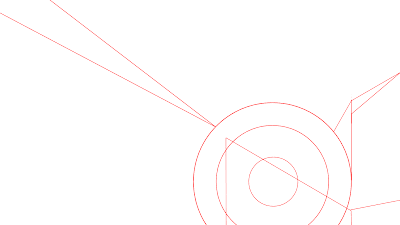
As they always say, new year new me, right? Well in this case it's true. It actually took a couple of days to get this image created, but I think it looks spectacular! Honestly this is one of the most complicated images I've made so far, with over 60 layers and the help of a metal tutorial found here . There was a process to the whole thing though, and it started as a completely different idea. Below is the concept of what I was going to be creating. I had the idea of making a metal circular structure which would be part of a machine, then put some lights on it and make it look old and worn. After having the idea in my head, I quickly drew up the concept art as shown above so that I can have some grounds on what I was going to do. I started working on the metal of the circular structure, which was made with the Clouds, Stitch, Motion Blur, Random Shape Fill, Relief, Color to Alpha, and Basic Adjustments effects. The layer blend modes used are Xor (which I've never use...

Spirit of Kwanzaa

Image
Happy Kwanzaa! Here is the last of the December Holidays. I knew the colors of Kwanzaa, but had to look them up to make sure they were right. I then started with a red background and had the red in the middle, while I had black and green added on both sides. I'm not sure if the order of the colors matters, but if it does, I apologize for that, and I'll do better next time around. Here is the image called Spirit of Kwanzaa. I mostly used Polar Inversion, and Radial Blur. I then used the layer blend modes Additive, Lighten, and Difference to give it the look that it does. I had fun with this little project of December Holidays and I hope that next year I'm able to do it again. If you have suggestions for other images or projects make sure to comment below or email me those ideas.