Posts

Showing posts with the label Seasons

Spring's Awakening

Image
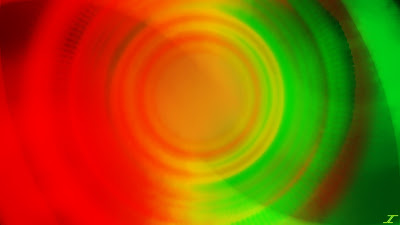
Spring is near, and that means green will be coming back, as well as the warm sun, and wonderful sun rises. These past few months are usually cloudy and full of snow, so that is why I made this image a bit darker with a bright center. When I was finished with it, I looked at it, and it almost reminded me of Christmas, so I may do a manipulation using this image in the future. Here I bring you Spring's Awakening. I started with filling the screen with orange and yellow, then manipulating it like crazy with Gaussian Blur, Dents, and Radial Blur. I then blended those layers with Screen to allow both colors to come through a bit easier. When I got it looking good, I put some green in the center and used Gaussian Blur, Dents, and Radial Extruder to get a nice design. I then duplicated it several times and blended it with Glow, Multiply, and Difference. I then flattened the green sections, copied it, and pasted it in a new layer. I duplicated it and used either Multiply or Darken to make...
Dying Furnace

Image
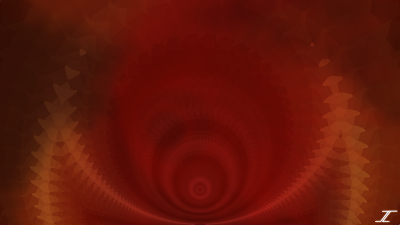
It's starting to become fall weather yet again, and with that comes cooler temperatures. Since summer is my favorite time of year, that makes this time of year a bit sad for me. I love the heat, of course that's what happens when you are from the desert. So since I haven't made an image about summer yet, here's one (sort of) that captures the type of heat that I like. I also decided to make it a bit more subtle since the heat is dying down a bit. So here is Dying Furnace. The main body of the image was made using the Fire rendering, which I haven't used in years, so that's a bit of a trip down memory lane. I then distorted it like crazy, to give you what you see above. The main effects used were Radial Blur, Polar Inversion, Gaussian Blur, Radial Extruder, Tile Reflection, Kaleidoscope and Dents. Then the layer blend modes I used were Overlay, Additive, and Lighten. Overlay I mostly use to make things transparent to merge layers down and make it a bit darke...

Lifeforce

Image
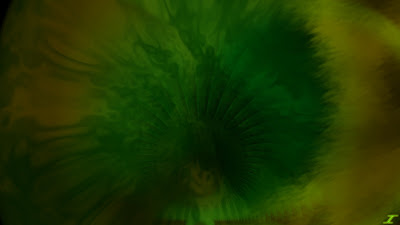
Spring has come and gone, and summer is starting to take hold of the northern hemisphere. I did skip spring in my images I realize, so to make up for it, I went back and created spring in an image. I pretty much did the exact same thing I did with Mystic Rosettes as I did with this one, which is start with some color in the middle and expand out, but obviously with different colors. I also had a completely different outcome than what I initially thought, but I think it came out great. Here is Lifeforce. I initially just started with the green color, and expanded it out to where it shows on the outside with Dents, Radial Blur, Polar Inversion, and Gaussian Blur. I then did the Color Flip/Rotate effect in the middle green area and changed it to blue. I then expanded that out with Polar Inversion, and Radial Blur. I then did some rotations, and used Overlay, Color Dodge, Darken, Glow, Lighten, Additive, and Screen layer blend modes to blend the colors together and make some pop a bit...

Fire's Awakening

Image
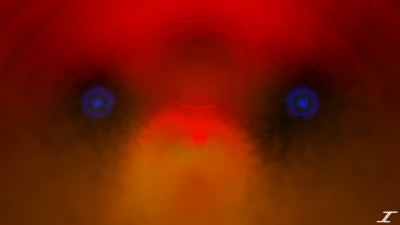
The month of May usually means warmer weather is ahead. That means summer is coming, and to celebrate the entrance of summer, I decided to make a warm colored image. I didn't really know where I was going with this for a while, but then toward the end it became a bit clear. Here is the image that I call Fire's Awakening. I started similarly to Mystic Rosettes, with a bit of orange in the middle, then adding effects after effects to fill the screen. Namely Radial Blur, Gaussian Blur, Dents, Frosted Glass, and Polar Inversion. I then used Reflect, Screen, and Additive layer blend modes to make it brighter. I then added red the same way and did the same thing to make it grow until the red was on top with Polar Inversion. I then duplicated the bottom orange and Darkened it to make everything else pop. I then saw the "eye holes" and decided to add two blue fire eyes. I did it with Frosted Glass, Dents, Radial Blur, and Gaussian Blur. I then duplicated it twice and u...

O Christmas Tree

Image
Merry Christmas! I hope that you are all having a great time and that you got to spend time with those that mean the most to you. I created this image a while ago, but decided to wait to post it until now. I had a vision in my head about what I wanted to do for a Christmas image, and I wanted to do a close up of a Christmas Tree. I found a tutorial on the Paint.NET forums and gave it a whirl. It wasn't difficult, just a bit time consuming like the tutorial said, but I got it looking how I wanted it to. I then added the orbs and lights to the tree which made it seem a bit more real. I then decided to try to add some texture to the wall and I did that using a rendering called Clouds, and then I made the wall a little transparent to allow the texture to come through. Aside from that, not many effects were used, nor layer blend modes. I hope the holidays are good to you all!

Fall at Dusk

Image
I got access to my new computer again, so look forward to my style going back to normal. Anyway, autumn has taken its toll, the days are getting shorter, and temperatures are dropping in the northern hemisphere, but that doesn't mean that the beauty is gone. Personally I like summers better, but at least it's not winter..yet. This image kind of depicts how it looks when it starts getting dark outside, so I present Fall at Dusk. Not many effects were used, just Radial Blur, Polar Inversion, and Dents. The majority of the image comes from the layer blend modes which are Glow, Color Dodge, and Darken. I also got another fall color palette for this image to use for the colors on this, and so I hope that it has helped bring the spirit of fall into our hearts. See ya on the next image.

Autumn Awakens

Image
So a nice little surprise, but I'm going back in time with my style here. My other computer was unavailable so I used one of my older ones and lo and behold it had Paint.NET version 3.5.11, which means that some of my long lost favorite effects called Radial Blur Deluxe and Zoom Blur Deluxe still work on that version. For perspective, Paint.NET is on version 4.2.1, so the version I used to make this image is ancient in comparison. Anyway I wanted to make a nice fall image, but didn't know really where to begin. So I went on Google and got a nice dark autumn color palette, and got to work on what I call Autumn Awakens. I only used three colors in this image, and very minimal effects and layer blend modes. The colors I used were a dark orange, a dark brown, and yellow, and the effects I used were as stated above with the addition of Dents and Gaussian Blur. I flattened the image and kept working on the image as a whole to get the effects that I wanted as well....

Fading Summer

Image
September has almost gone, and it looks like summer is fading fast. It's so sad to see summer fade away for me, but things have to take their toll, but I wish that Summer would just last a bit longer. I'm not a huge fan of fall or winter. I love spring because summer is coming, but we have to say goodbye for a season (or three). To depict this, I created Fading Summer. The green is in the center, but surrounded with some yellow to show that summer is fading away and fall is coming in. I didn't use too many layer blend modes, but I did make it so that some of the layers were a bit more transparent than others. I know this is a bit of a shorter post, but I hope to have more for you soon.

Spirit of the Season

Image
Happy Holidays everyone! Hopefully everyone is having a great day and that everyone is staying warm. In the last post I did say that I liked to stay warm. I'm sure everyone likes to be warm to some extent, otherwise there wouldn't have been hot chocolate or Apple Cider made. With the holiday season here, I wanted to share some of the warmth in the form of an image, and I call it Spirit of the Season. This image has a nice warm feel to it to give that warm feeling of friends and family around. More or less the same effects as the last one and used the same technique for the middle rings. I did fade them out so that they aren't very noticeable or overpowering. I also had the goal of having red, green, and yellow, and that happened here. Fun fact, no yellow was used in the making of this image, it came out of blend modes. I hope you enjoy your holidays and stay warm!

Winter's Approach

Image
In some parts of the world, winter has already taken it's grasp. I will say this much, I really don't like winter at all. I hope it doesn't last that long and that summer comes soon. I just love the warmth and can't get enough of it. When I think of winter, I think of a very cold, yet beautiful scenery. That is why I took the best of both worlds in this new image titled Winter's Approach. Dents, Crystalize, and Radial Extruder are a few of the effects I used in this one. I actually had to take the design on the lower right and make it in a larger canvas since it was too big to fit in the center. I then offset it to the lower right so that it looked a bit nicer. Plus, I'm not wanting to place things in the center very often. I then did a few blurs in the background for that smooth feel. Enjoy the winter everyone and I'll see you here soon.

Candy Corn Dreams

Image
This I made a while ago (like about a year ago), and I decided to post it on here just for kicks. I did another photo manipulation here, with Orange Energy as the base, and I wanted to share this with you close to Halloween. Also it has some fall colors in there, so I feel it is ideal for this time of year. Here's the old image called Orange Energy. This one I was experimenting with Kaleidoscope and a few other effects that I don't remember. Here is Candy Corn Dreams. Radial Blur Deluxe, Polar Inversion, and Splinter blur. I then added two little orange dents and filled in some dark areas. Hopefully you enjoy these images and enjoy your Halloween in a couple days. Get lots of candy, and then eat some Candy Corn.

Autumn Leaves

Image
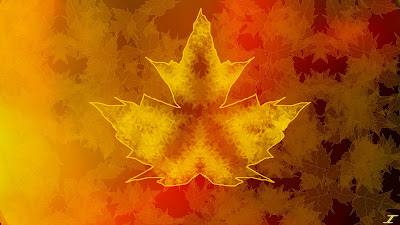
This image is a bit different from what I usually do. I created the background first, which has autumn colors, but it took a slightly different turn than I had anticipated near the beginning. I made a few wisps coming out of the image, which then made it look like a fire image. Not what I was going for, but decided to play with that idea. It wasn't going too well after a bit so I decided to try with the autumn theme that I had originally planned for. I proceeded to make the kaleidoscope design in the middle of the main leaf, and thought about making the leaf outline itself. I did a quick Google search of leaves, and copied it the best that I could from the image I pulled up. I made half the leaf, made some changes, and then duplicated it and flipped the duplicate vertically. I then decided to create leaves in the background to give it a more fall sort of look. I duplicated the leaf, added veins, and then used the Shift/Rotate tool to create a lot of leaves in the background. Dupl...

Summer Sun

Image
Most people by now have had enough of summer, except for me. I really like the hot summer sun, as well as the hot dry climates that my desert home holds. Since summer is winding down, and fall is nearly upon us, I decided to make an image depicting the strong summer sun, high in the sky. I've made an image that depicts the noon day sun, but I thought I'd go a really hot route with this one, and here it is, Summer Sun Same style as before, except I brought back the Kaleidoscope effect here. Radial Extruder is here as well as some of the other classics such as Dents, Radial Blur, and Splinter. I did do something different with the background, and added a gradient with some yellow in there. I think it adds a much better touch than just a plain black background and I may experiment with that in the future. Enjoy, and I'll be back with more.

Throw Back Thursday: Noon Day Sun

Image
For this Throw Back Thursday, I decided I would go back to Noon Day Sun which was created on January 26th, 2011. I have a blog post about it here, but I will put the image below. I'm not sure what I was thinking when I made this image, especially since it looks like a nice warm image, and it was created in the dead of winter. I may have made it just to make it (which is what I said in the post) or because it made me feel warm. Anyway, here is the image to refresh your memory. I also decided to make a new image with this as the stock photo. I wanted to create an image depicting the sun as it was in the sky in June, but I also have an idea for that later on, so I made this into a sunrise kind of image. It reminds me of when I would wake up in 6th grade in my hometown for school. The sunrise that I saw outside is what I think of when I see this image called Morning Sunshine. Lots of Radial Blur, some dents, and polar inversion. I also used a white background instead of a bla...

Spring's Life Force

Image
Hopefully it's warming up everywhere now that Spring has taken it's toll on us, except for the southern hemisphere...sorry guys. Anyway, I thought it would be wonderful to make an image depicting the life force that seems to come every spring after winter's seemingly long cold days have left us for a while. Life that seemed to have left comes back, the grass turns green, flowers come up, and warmer days are ahead. Hence the title of this image and the colors of what I think life on this earth are, blue and green. An image that looks a lot like this has already been shown here, if you remember my 8 Elements series. I think that this almost looks like the Elemental Power of Air that I created, but it's a bit different in the sense that it has that ice-like outside, with the "life force" blue in the middle, pushing it away. I used a lot of Dents, Radial Blur, Polar Inversion, and my new favorite, Radial Extruder for this image. Blend modes for this were a bi...

Easter's Treat

Image
Hoppy Easter everyone! I hope everyone enjoys their Easter Sunday and that the Easter Bunny visited them. I made an Easter image with help from Google and this Easter color palette, and came up with this image called Easter's Treat. Nothing really new here as far as effects used. Splinter, Dents, and Radial Blur. I had to add a bit of the Easter green since it looked like a blue and purple image, so I added a splash of that in the top middle area. I then blended it with blurs and Dents so that it wasn't an eye sore. Not much else to say today except for have a good Easter, and remember, it's not about the chocolate or bunnies, it's about Christ and what He did for all of us.

Spring Flowers

Image
Spring is nearly here, which means warmer weather is on its way. I'm excited about that since I would really like to start riding my bike again and doing other outdoor activities. I looked on Google for spring color palettes to get some ideas on what colors to use, and I found this one that I'll be using (thanks Google). So without much else to say, here is Spring Flowers. I took some green and made a bit of the background using Radial Blur, and then I tried making a green flower-like design, but in the end I didn't keep it. I then used the pink from the color palette and made the outlines of it. I then made the flower design with pink. I then added a lighter green to brighten the image up. I hope everyone is excited about the warm weather coming, and especially spring. It is one of the most beautiful times of year with all sorts of flowers and colors. As always, take care and I'll see you here soon.

Sandstone Roses

Image
Here is yet another image for your enjoyment. February has come and gone, and with March rolling in, we have warmer weather to look forward to. I started with the desktop background of my computer, which is of Lake Powell pictured below. I then started manipulating the photo with the new style that I picked up a few months ago and came out with a nice rose looking image. I thought it would be fitting with spring coming around the corner, to have an image depicting a type of flower. So, although this wasn't the outcome I was thinking of getting with this image, I left it how it was. It took some effects like Radial Blur Deluxe, Splinter, and some of my classic favorites like Dents and Glass Blocks to come out with the image you see below. I hope everyone is as excited about spring as I am. I'm done with the cold weather and hope that it doesn't last too much longer. Summer will be even better for me since I love the heat. Anyway, have a wonderful day everyone and...

Winter Holidays

Image
Good morning everyone! I hope you are all enjoying your holidays so far this year and that all is well. It's pretty cold right now, but the holiday spirit always brings a warm cozy feeling into our hearts. Today I'd like to share an image that hopefully shows that holiday spirit, and keeps you feeling cozy while the winter weather takes it's toll. Again, lot's of Radial Blur Deluxe in this image for that smooth look and feel. I also have been playing around with an effect called Splinter which is under the blurs menu. That's how the nice paint-like feel was put in on the ice blue around the borders of the image. I think that added a nice, natural touch. I hope everyone continues to enjoy your holidays and have a happy new year in a week.

Winter Dreams

Image
Winter is coming fast, so since it's cold and snowy in some parts of the world, I decided to look online for help as far as inspiration goes. I found a nice winter themed color palette, and started working on a new image. Since during winter the nights are long and the days are short, and people like me wish we could just hibernate inside our warm cozy homes, I called this frosty image Winter Dreams. It has a nice snowflake-like design in the middle made with Radial Extruder, Dents, and Polar Inversion. I would then keep duplicates of the layers, combined them, and continue onward, until the snowflake was a good size. A nice dark background makes it feel like a winter night, while the snow is falling outside, creating some ice underneath while we all sleep in our cozy beds. After that nice thought, I want to go to bed.