Posts

Marbled Aurora

Image
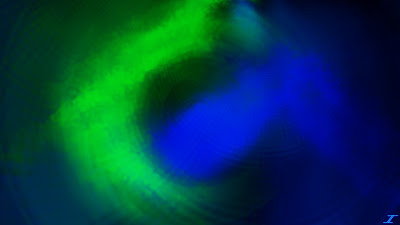
So about a month ago, I posted an image called Smelling Roses. When I was making it, I ran into a whole different color scheme when I adjusted a layer's blend mode. Since then, I wanted to revisit it and make something with that different color scheme, and so here it is, after about a month I would like to show you the different colors that came out of changing one layer. This image is called Marbled Aurora. Same effects as Smelling Roses, but a few extra bits were added to fill in some dark spots using Dents, Frosted Glass, and Gaussian Blur. Hope you enjoy this image, and I'll see you here again soon.
Summer Sun

Image
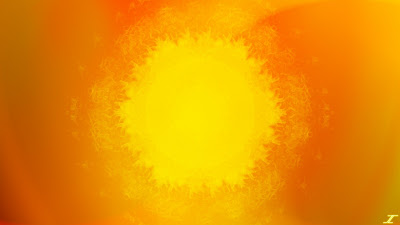
Most people by now have had enough of summer, except for me. I really like the hot summer sun, as well as the hot dry climates that my desert home holds. Since summer is winding down, and fall is nearly upon us, I decided to make an image depicting the strong summer sun, high in the sky. I've made an image that depicts the noon day sun, but I thought I'd go a really hot route with this one, and here it is, Summer Sun Same style as before, except I brought back the Kaleidoscope effect here. Radial Extruder is here as well as some of the other classics such as Dents, Radial Blur, and Splinter. I did do something different with the background, and added a gradient with some yellow in there. I think it adds a much better touch than just a plain black background and I may experiment with that in the future. Enjoy, and I'll be back with more.

Smelling Roses

Image
When thinking of what to do next for an artwork, I thought long and hard and decided to give the color pink a try. I decided to pair it with white since the Energizer Bunny is pink and white. I started with two sections of pink and white, and got to work creating the image, not knowing what the outcome will be, but when the outcome was manifested to me, I felt satisfied. When I looked at it more, it reminded me of smelling roses when I was a kid at my home, hence the name Smelling Roses. I did the classic Radial Blur smoothness you see, but started with some frosted glass effects to smooth out the Dents before applying the Radial Blur effect. Not many more effects were used, I did a lot of layer work here more than anything, but I think the outcome was good. What do you think of when you see this image? Do you think of roses too, especially when you look at the swirls in the image? Let me know if you'd like, but I'll have something else up for you here regardless. Enjoy!

Flames of Truth

Image
I don't know where the title of this came from, but when I was creating this, I thought it looked a lot like blue and green flames there in the background. I did a lot of manipulating of the layer blend properties to get the colors just right. I wanted the image to be dark, but to have the green and blue "flames" to come forward in brightness. I believe I have succeeded in that feat and present to you the image Flames of Truth. Classic favorites of mine used here, namely Dents, Polar Inversion, Radial Blur, Gaussian Blur, and a bonus Glass Blocks. I took two sections of color for the start, which you can see there in the middle as the blocks of color that represent the flames as the start, manipulated it to look like flames, duplicated, merged, and distorted some more. At one point, I duplicated the original layer, flipped it, and then manipulated a bit more. Hopefully you enjoy this image. Hopefully you enjoy the content and I'll have something new for you her...

Independence Day Spirit

Image
Hello everyone, today is the Fourth of July, and here in the United States, it is the day we celebrate our freedom. To portray this in an abstract way, I took some of the well known patriotic colors, and made an image with them. I don't think it's my best work, but it's my first time making something patriotic. Not saying I'm not patriotic, I just didn't know what to do with the colors here and how to blend them together in the best way, so here is what I've got. There's some Tile Reflection as you can see (which is something that I've steered away from for a long time), Radial Blur, Polar Inversion, and other effects that are hidden because of the Radial Blur. There are aspects of some of the style I had when I first started, and some of the smooth style I have here as well. Nothing too special, but I did want to show my patriotism by creating this image. I hope you enjoy. This has given me an idea for a future project I may do which is making im...

Throw Back Thursday: Noon Day Sun

Image
For this Throw Back Thursday, I decided I would go back to Noon Day Sun which was created on January 26th, 2011. I have a blog post about it here, but I will put the image below. I'm not sure what I was thinking when I made this image, especially since it looks like a nice warm image, and it was created in the dead of winter. I may have made it just to make it (which is what I said in the post) or because it made me feel warm. Anyway, here is the image to refresh your memory. I also decided to make a new image with this as the stock photo. I wanted to create an image depicting the sun as it was in the sky in June, but I also have an idea for that later on, so I made this into a sunrise kind of image. It reminds me of when I would wake up in 6th grade in my hometown for school. The sunrise that I saw outside is what I think of when I see this image called Morning Sunshine. Lots of Radial Blur, some dents, and polar inversion. I also used a white background instead of a bla...

Murky Swamps

Image
The final version of this image is not what I was going for, just throwing that out there. What I was trying to go for, was an image that had some green, and then the yellow would make it bright and happy. Instead, it turned out dark and mysterious, with a bit of orange in there. I was distorting the yellow part first, making it bright and filling up the canvas, then I did the green. After I changed one layer's blend mode properties, the bright image I was hoping for was gone forever. I liked the darker look of it, so I went with it, and here I present the image I titled Murky Swamps Radial Blur, Kaleidoscope, Polar Inversion, Dents, Zoom Blur, and a few other effects were used here, but the biggest thing that gave the image the dark, almost "murky" feel, was the layer blend modes. One was set to Difference (making the image darker), while the other was set to Color Burn (giving the orange color on some of the dents). I may try to make another green image with yell...