Posts

Fractured Portal

Image
This image is made from a fractal that I made a while ago, but I never got around to doing much with it until now. I think I was thinking of using it as a Christmas image, but since I got around to it now, I hope I was able to get rid of most of the Christmas colors from it. I did use some effects that I haven't used in a long time, and others that I have rarely used at all, except maybe my first images since I was experimenting. Anyway, here is Fractured Portal. Some of the first effects I used was Twist, which I haven't used since I started using PDN since it looked tacky. I used it in a good sort of way this time to make it kind of look like a tunnel, then duplicated it and rotated it a bit. I then used Polar Inversion, Tile Reflection, and Radial Blur to add some color and texture to the outside of the "portal" and just to help the image out a bit. I finished with another inverse Polar Inversion to make a sort of circle around the middle, and then used Reflect to ...
Yellow Flag

Image
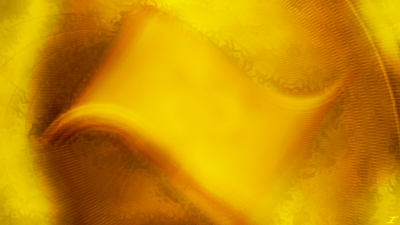
Creativity kind of left me for this title, but hopefully you think it looks cool. As I was making this image, it kind of looked like the old Windows logo, but a bit longer. I didn't do it on purpose, it just came up when I was doing some Radial Blurs in certain areas, and BAM, there it was. So here I give you Yellow Flag. I didn't know what else to put in the image since it looked good, so I tried to put some stuff in the background such as dents and such, but it just overpowered it. Overall, this didn't take too long to make, but the rest of the background did. For the main flag, I used Radial Blur, Motion Blur, and Polar Inversion. I then used Overlay for one layer, also flipped a layer so the flag looked a bit more uniform. The background I did Dents, and Radial Blur, as well as Polar Inversion and Radial Extruder. I then used Difference and Overlay for the layer blend modes. Hope you enjoyed this and I hope to see you soon with more art.

Spring's Awakening

Image
Spring is near, and that means green will be coming back, as well as the warm sun, and wonderful sun rises. These past few months are usually cloudy and full of snow, so that is why I made this image a bit darker with a bright center. When I was finished with it, I looked at it, and it almost reminded me of Christmas, so I may do a manipulation using this image in the future. Here I bring you Spring's Awakening. I started with filling the screen with orange and yellow, then manipulating it like crazy with Gaussian Blur, Dents, and Radial Blur. I then blended those layers with Screen to allow both colors to come through a bit easier. When I got it looking good, I put some green in the center and used Gaussian Blur, Dents, and Radial Extruder to get a nice design. I then duplicated it several times and blended it with Glow, Multiply, and Difference. I then flattened the green sections, copied it, and pasted it in a new layer. I duplicated it and used either Multiply or Darken to make...

Custom Pointers

 Hey all, just some news for you! I’m excited to announce that I have my online store with custom pointers up and running. I also put up a new page here on this blog describing the store and the story of how they came to be. For the month of March, you can use coupon code JC50OFF to get 50% off of all purchases. Enjoy them, and remember, feedback is always welcome!

Sandstone Desert

Image
 A few months ago I went back to my hometown for a visit, and it was a fun time. I even got to take my family to a park full of sandstone and it was fun watching my kids explore a bit. The patterns and color of some of the stone down there is always mesmerizing, and it's just a lovely sight to see. I know I made an abstract in the past of sandstone and the patterns that it has, but I took a different approach to this one. Here I give you Sandstone Desert. I started with the Gran Canaria Gem as my stock image, and went to town with it. After coming round the mountain and getting back home, I got to work manipulating it with Radial Blur. On the duplicate of the gem, I blended it with Color Burn to give it a vibrant and darker color, and did a Radial blur from a different corner. I then merged them down and did another radial blur from a different angle to give it a smooth, yet interesting texture. I then did a Polar Inversion with Gaussian Blur to blur out the inversion part. I then ...

Dedication to Grandma Lety

Image
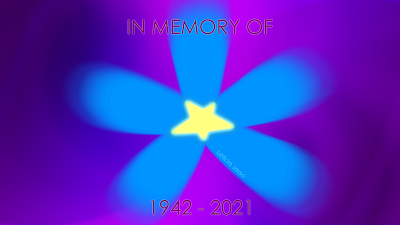
Yesterday at 7 PM Mountain Time, my grandma on my mom's side passed away. Shortly after my grandpa passed, she started going down hill fast. It almost seems like she couldn't live without him by her side. She died mostly due to dementia and extreme weight loss. I was a bit sad, but not as sad as my mom, who called me right when my grandma died. I decided to make a bit of a dedication to her much like I did for my grandpa, and here I give you my dedicatory piece to remember her by. I looked online what the colors of dementia were, and they were a purple ribbon. I don't really want to do ribbons unless it is a cancer, just to be consistent. I then saw that there was a pin with a forget me not flower, which is at the center of the piece. My grandma seemed like the kind of person that liked bright flowers and colors, so I made sure to incorporate that into this piece. The process I went through was I made a very crude flower, then a circle for the middle. I then looked at it, a...

Throw Back Thursday: Gran Canaria Gem

Image
 Happy New Year everyone! I hope 2021 has been treating everyone better than 2020 ended up being. If not, I'm sure peace will come soon to everyone, at least we hope. I decided to start this new year with a throwback to 2013. I made this shortly after coming back from Spain, but I don't think I ever posted this one. While I was in Spain, I went to the Canary Islands for about 4 months. While I was there, there were stunning views of the ocean and the island from some local beaches. I was fortunate to capture some of that beauty on my camera, as you can see below. When I got back home, it took a while to get into the groove of things since it took some adjustment to regular life in the USA. I made a few different images, and I decided to then revisit a tutorial I had done with Heatstroke a while ago to make a gem. If you wanted to give it a try, you can find that tutorial on the Paint.NET Forums here . I chose the stock photo above and created the image you see below called Gran...