Posts

Grandma Rocket

Image
I'll be doing a bit of something different with this post. Since the picture previews are the first picture, I'll be posting the final product first, and then posting the process after. So I got a suggestion a few months back to make Grandma Rocket on Facebook Messenger, and so I decided I'd take to the challenge. It wouldn't have taken so long to make her, but with COVID and moving to a new apartment, it just got put on the back burner. Finally after weeks, I am pleased with the end result of Grandma Rocket. Also as promised on Facebook and Instagram, here is the process I took to create her. I first chose a picture that was sent to me by the user that suggested I make her, and made a super rough outline of her as seen below. Yeah, almost looks like a blob, but that alone took a solid 15 to 30 minutes to make. I then refined it as I went through again, and made the outline a bit better so you have what you see below. Honestly, nothing terribly different if you don'...
Dragon Scales

Image
I started this image many months ago, and from the temporary title I gave it, I wanted to create a spring image, which as you can see from the color scheme, it didn't really happen. I was able to go ahead and get it to look alright, but not quite how I wanted. Since the colors and textures don't really match anything I've done in the past, I decided to go a different direction on the title and name this one Dragon Scales. The original colors were going to be a more springtime sort of color scheme, with pink, purple, blue, and green, but that didn't really seem to stick. I did a lot of classic effects like Dents, Gaussian Blur, and Radial Blur to get some smooth aspects in the background, and then flatten and copy the full image to its own layer. I then left it for a while, and when I came back to it, I did some additional effects hoping to get something good out of it. The only thing was, that when I attempted to get some good effects in, it would cover the "scales...

Air Pockets

Image
Yet another one that I started at work during my lunch, and finished up during the weekend. Again, not sure what I was thinking with this one, but I mostly wanted to make something for therapeutic purposes. I've just felt a bit drained recently that I have lacked the motivation to do much of anything, but I'm hoping that doesn't continue. I also haven't been able to think of anything really new, so that makes it a bit more difficult to start and finish something. Hopefully this piece is worth showing which I titled Air Pockets. I did my classic background of Dents, Gaussian Blur, and Radial Blur, then I took elements of the creation of those to make some texture Dents, and Radial Blur in there. I also then flattened and copied the full image to a layer of its own to add additional colors and textures. Not really much to it, also I mostly want to go to bed. Hope you enjoy and I'll hopefully see you again soon.

Time Manipulation

Image
I will admit, I didn't really know what I wanted to do with this image. I just had a few minutes during lunch and my second break from work, that I just wanted to make some art, mostly for therapeutic purposes. I literally opened Paint.NET and looked at my canvas for a minute, and didn't really know what to do. I almost decided to forego the effort of creating something, but decided that I should do something rather than watch YouTube like I usually do. Here I give you the finished image called Time Manipulation. I started off with Yellow on the left, then did the classic Gaussian Blur, Dents, and Radial Blur to get a nice background. I then decided to have the two contradicting Radial Blur layers visible to have it be like two C's with their backs against each other to see how that would turn out. I then did the same with green on the right. I then merged everything down after getting rid of the black background, copied it, and pasted it on its own layer. I then did two Ra...

Heart Strings

Image
It's Valentines Day, and I hope it's a good one for you. I know there are some of you out there that may or may not have someone to share it with. I also know that there may be some out there that feel like they are being played, like someone is pulling on their heart strings or something. I hope that you all find someone to share this holiday with since it really is a great feeling to have someone with whom to share it with. I have done art on this holiday to show the positive and negative of this holiday, and now I guess I should do a skeptic's point of view, hence Heart Strings. Very smooth elements here, with Frosted Glass making an appearance, as well as the classics such as Gaussian Blur, Dents, and Radial Blur for the background. I then took some Radial Blur elements, merged them together, and did a Polar Inversion and a Radial Extruder to give some texture in the background. Those gave the element of strings, and some of the original Radial Blur elements as well. Ho...

Cosmic Gem

Image
It's been a while since I posted last, over a month now! That's a long while ever since I started posting at least once a month, but don't worry, I haven't gone anywhere. I'm still making art, and while I would like to make more character or realistic art, it takes a long time to make, and I don't have that kind of time very often unfortunately. Thankfully abstract art is very therapeutic and quick to make, and so without further delay, I give you Cosmic Gem. I got inspiration on the color scheme from the new Daughtry album cover that came out this last September titled Dearly Beloved. You can check out the album art here . I made my smooth background using the classic Gaussian Blur, Dents, and Radial Blur with both a dark purple and darker pink. I then flattened the image, copied the image, unflattened it, and pasted it in a new layer. I then applied Polar Inversion, and Radial Extruder (as you probably could have pointed out if you've been a regular since ...

Mandalorian Helmet

Image
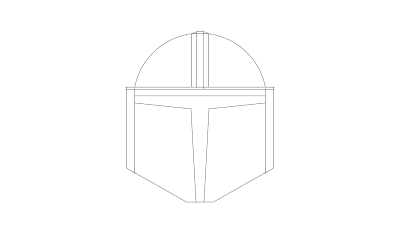
So I'm doing something completely different from what I usually do at this time of year. I just know that The Mandalorian usually comes out at this time of year, and so I decided to make this Mandalorian Helmet. I started out with looking up a picture on Google to see what I could try to base it off of, and I found this one. Once I got it down, I started making a super rough outline of the helmet. Once I got the rough outline done, I knew I could then do some minor adjustments, much like I did with Rocket and Big Jet. I flattened the rough outline, brought the opacity down a bit, and started pretty much from scratch to make the helmet again. Not long after, I got the outline you see below. Now we're getting somewhere! Now I just needed to color it, and shade it. I colored it by selecting the outside with the Magic Wand tool, and on a different layer, filling it with a light gray. I then proceeded to select different parts of the helmet with the Magic Wand, and applying gradien...