Posts

Pulsating Aurora

Image
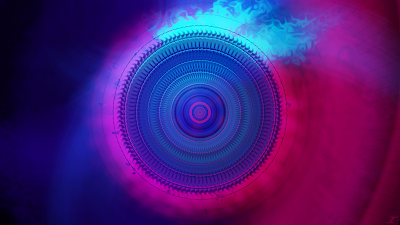
Here I am a little over two months later with another image. Most of these I don't know what I was going with since they were made quite a while ago, and I'm just now getting time to post them. For the most part, I think I was attempting to play with different colors than I typically do since I don't seem to delve too much into purple or pink. I think the end result is a decent result and worthy of the blog. Makes me think of a possible different post for later of all of the "rejects" over the years, but I don't think of them as rejects, more like part of the journey to improving. I digress, here is the image Pulsating Aurora. I did similar effects like with Hello Sunshine, Frosted Glass, Dents, Radial Blur, but I also did start with some pillars or thicker lines of color, namely dark pink and purple. I then used Twist (which I haven't used in a long while), Radial Extruder, and Polar Inversion as some of the top-most effects to fill the canvas. I then fin...

Blog News: Thank You

Hey all, I just wanted to thank everyone that views my blog over the years, it's been quite a ride and I appreciate the fact that people look and see what I've been up to. Honestly this blog doesn't just showcase my art, but also motivates me to make more since I know some people out there may want to see more. I wanted to let you all know that I've hit over 25,000 views across many different countries over the more than 15 years of having this blog. I know it may not be a lot of views by the world's standards, but for me it's a lot and I appreciate the fact that people come and at least take a look. If you'd like, you can leave a comment of your favorite types of work or your favorite colors, and I can try making something of what you like or with those colors next. I do apologize for not having an image this month, my energy is not like it used to be, but I'll try to have something next month. Again, I appreciate you all and I hope this year ends on a ...

Hello Sunshine

Image
Fitting title for the first post in 2025, after about half the year has gone. Here in the northern hemisphere it is also getting sunnier and warmer, so once again, fitting for this. You can imagine if you've been a loyal reader/watcher of this blog that the title of the post is also the title of the image I'm going to post, so without further to say, I give you Hello Sunshine. Started this one a bit different and used Frosted Glass and Dents instead of my classic Gaussian Blur with both the orange and the darker blue colors. I then added a splash of light blue and yellow to give it a bit more of a sunshine look. I honestly didn't know what to expect with this image since I wanted a brighter image, but not overbearing. I also didn't know what to call it, then when looking at the finished product the song  Hello Sunshine by Mercy River  (which I listened to this album a lot while I was in Spain) came to my head, hence the image name. I hope you enjoyed this installment an...

Interdimensional Rift

Image
I've been getting bad about posting, but hopefully the images have been worth the wait. Work and the home life have been taking up a lot of energy, so I haven't been able to make as much art at the same pace as before, but glad I've been getting things out there here and there this year. This one is titled Interdimensional Rift. This image is interesting since I typically start with some color on the canvas, but I instead started with some red gradients. I found that it made a pretty cool design when I applied the Radial Blur effect, so I continued with that with the blue color. I then applied Gaussian Blur on a new layer and dents to add some texture, then on a duplicated layer, I applied more Radial Blur and used the lighten blend mode. I did this more or less for both colors, then I flattened it and copied the flattened image, undid the flattening, and added the full image to a new layer. I then applied Polar Inversion on a duplicated layer of the full image, and then ap...

Somber Rage

Image
Hey everyone, it’s been a long while since I’ve been on here to post a new image. My personal life has gotten very busy and I had to step away for a while in order to continue to be there for my family. Anyway, I’m sure you’re itching to see the new stuff I’ve been up to, and to start off, here is an image that is the main part of a 4 monitor HD image called Somber Rage. I have a four monitor setup at work now, and I wanted to make an image that covered all four of those, so I got working on that. The image you see above is just a piece of that, but you can see the rest of the pieces below. I started with some colors that I liked from an album artwork of a music group that I like, and went from there. I added color on one side of the image which is the red color, manipulated it greatly until it filled up that side using my classic Gaussian Blur, Dents, and Radial Blur effects, then adding some Radial Extruder and Polar inversion after combining, flattening, and copying the full image t...

Ocean Spray

Image
I’m back with another work, and I’ve been getting inspiration from album artworks on the colors to use since some of them just look nice. This one is no different than Somber Rage in that sense, since I used colors from an album artwork to start with, and by that I mean I used two colors and went from there. After some time, I got the end result called Ocean Spray. I again used colors of an album artwork that I like and have been wanting to use those colors for a while. Again I used the classic effects I typically use which are Gaussian Blur, Dents, and Radial Blur, but then I added a Motion Blur in there. I then also flattened the image, copied it, and added that to a new layer, and did Polar Inversion as well as Tile Reflection. The layer blend modes I used throughout are Additive, Lighten, Color Dodge, and Reflect. Additive and Lighten typically brighten the colors, while Color Dodge brings out some of the brighter sections of the image. Reflect then also dampens the image a bit, so...

Watermelon Tourmanline

Image
Hello everyone, it's been a while, but I'm back with more art in the coming months. If anyone is an avid viewer of my blog, I'm sorry I took a while off, but I'm happy to say that I feel pretty decent again. Art is typically my therapeutic realm since I use my brain in a different sense than normal, but my job for the last year has definitely taken a toll on me, so I had to step away for a while. I'm back now with a new image titled Watermelon Tourmanline. Since the company I work at changed their name and logo, I decided I’d use the logo colors for this. I also darkened the colors so that they are not the exact colors so as to not run into any issues. I started with some of the green color on the left and applied my classic Gaussian Blur, Dents, and Radial Blur, then did the same thing on the salmon side. I then flattened the image after taking the black background out, copied the image, un-flattened it, then pasted the full image on a new layer. At that point, I a...

Festival

Image
I again don't really know what I was going for with this one, but I believe I wanted to make a fall/autumn image with it, but I never really did anything with it. And to give you perspective, this has been sitting since January of 2020, so it's been nearly 3 years! I decided that since I didn't really have much time since things at home are still a bit crazy, I'd slap my trademark on it, and call it a day. This one I titled Festival. From what I can tell from the layer titles (I'm glad I started doing that a long while ago), I started with a bit of green in the middle, and applied a Radial Blur and blended them together with Negation and Darken. I then moved to yellow and applied Radial Blur as well, but blended them with Glow and Overlay. I then did the same with orange, but with Glow and Reflect as the layer blend modes. I then added a full screen of gray blended with Overlay to darken the image a bit, added a few more orange and yellow layers, and then flattened ...

Evening Horizon

Image
So I'm not sure entirely what I did with this image since I started it way back in June of 2021. Nor did I know what I was thinking, but I just left it as a work in progress until now. I was looking through my images that I have as works in progress, and decided I'd finish this one real quick. When completed, I saw that it looked like a sunset, a super pretty one when the clouds are in the right places in the sky, and the sun reflects just right. I knew then that I needed to title this one Evening Horizon. Based on what I know of the layer titles, I used Gaussian Blur, Dents, Radial Blur, and Zoom Blur to make the base of the image. After I was happy with the colors and positions of everything, I flattened the image, copied it, and pasted it on a few layers. I guess I didn't know what to do at that point, since I left it forever, and I re-did the flattening, copying, and pasting of the image. I then applied Radial Blur and Polar Inversion to some of the full layers as well ...

Always Remember

Image
Some people remember the events of September 11 really well, and remember feeling terrified, sad, and in shock of what was occurring. I remember the events of that day 21 years ago, but I don't remember feeling that way, mostly because I was a kid in 4th grade, that didn't have a very good understanding of things in that respect. Not sure why I didn't have a more mature brain, and why I was just a kid with a minimal understanding, but I do remember watching on the TV at school and at home the collapse of the towers. My wife wanted me to make an image that depicted that day in an abstract way, and so I listened to a very sad and solemn song to get me in a good place to be able to work on this special and heartfelt image. The process started with a very different image which I have posted on my Instagram. I initially wanted to have fire all around the borders of the image, and then have some hopeful colors come in to play in the middle, and after attempting and failing, I dec...

Welcome Home

Image
Hey there everyone, I'm feeling pretty happy and a bit nostalgic. A bit random, but hopefully you don't mind. So at work, I was in a meeting, and saw a chart that had a very cool color palette, so I took a screenshot of the color palette, and decided to use it for art. The art that I used it for was this one, and when I looked at it when it was complete, I pretty much saw a very inviting and warm image. Made me think of home when I was a kid, very warm and inviting, which is why I have titled it Welcome Home. I started with some color going across the screen from the palette, some dark red, lighter red, and orange. I then distorted them all with Gaussian Blur, Dents, and Radial Blur, changing the center with each color. I then added blue on the right and did the same effects. I then added yellow toward the middle, applied the same effects, but duplicated it before applying the Radial Blur so that I could have a bit of a "sun" toward the middle which I made with Zoom B...

Energy Wisps

Image
It's getting harder to get images out with everything going on at home. I'm trying to get some done, but I'm backed up on requests and personal projects that I'm doing what I can for now. I made this as a therapeutic piece since I've had a lot going on, and I call it Energy Wisps. Nothing crazy here aside from the usual Gaussian Blur, Radial Blur, Dents, and Polar Inversion. I did add some Frosted Glass and Crystalize effects in there to add a bit more texture on the bottom left. I also used Additive, Glow, and Negation layer blend modes to blend it together. This was a photo manipulation of the NCIS Soundtrack artwork found here . Sorry for the short post but I'll see you here next time.

Grandma Rocket

Image
I'll be doing a bit of something different with this post. Since the picture previews are the first picture, I'll be posting the final product first, and then posting the process after. So I got a suggestion a few months back to make Grandma Rocket on Facebook Messenger, and so I decided I'd take to the challenge. It wouldn't have taken so long to make her, but with COVID and moving to a new apartment, it just got put on the back burner. Finally after weeks, I am pleased with the end result of Grandma Rocket. Also as promised on Facebook and Instagram, here is the process I took to create her. I first chose a picture that was sent to me by the user that suggested I make her, and made a super rough outline of her as seen below. Yeah, almost looks like a blob, but that alone took a solid 15 to 30 minutes to make. I then refined it as I went through again, and made the outline a bit better so you have what you see below. Honestly, nothing terribly different if you don'...

Dragon Scales

Image
I started this image many months ago, and from the temporary title I gave it, I wanted to create a spring image, which as you can see from the color scheme, it didn't really happen. I was able to go ahead and get it to look alright, but not quite how I wanted. Since the colors and textures don't really match anything I've done in the past, I decided to go a different direction on the title and name this one Dragon Scales. The original colors were going to be a more springtime sort of color scheme, with pink, purple, blue, and green, but that didn't really seem to stick. I did a lot of classic effects like Dents, Gaussian Blur, and Radial Blur to get some smooth aspects in the background, and then flatten and copy the full image to its own layer. I then left it for a while, and when I came back to it, I did some additional effects hoping to get something good out of it. The only thing was, that when I attempted to get some good effects in, it would cover the "scales...

Air Pockets

Image
Yet another one that I started at work during my lunch, and finished up during the weekend. Again, not sure what I was thinking with this one, but I mostly wanted to make something for therapeutic purposes. I've just felt a bit drained recently that I have lacked the motivation to do much of anything, but I'm hoping that doesn't continue. I also haven't been able to think of anything really new, so that makes it a bit more difficult to start and finish something. Hopefully this piece is worth showing which I titled Air Pockets. I did my classic background of Dents, Gaussian Blur, and Radial Blur, then I took elements of the creation of those to make some texture Dents, and Radial Blur in there. I also then flattened and copied the full image to a layer of its own to add additional colors and textures. Not really much to it, also I mostly want to go to bed. Hope you enjoy and I'll hopefully see you again soon.

Time Manipulation

Image
I will admit, I didn't really know what I wanted to do with this image. I just had a few minutes during lunch and my second break from work, that I just wanted to make some art, mostly for therapeutic purposes. I literally opened Paint.NET and looked at my canvas for a minute, and didn't really know what to do. I almost decided to forego the effort of creating something, but decided that I should do something rather than watch YouTube like I usually do. Here I give you the finished image called Time Manipulation. I started off with Yellow on the left, then did the classic Gaussian Blur, Dents, and Radial Blur to get a nice background. I then decided to have the two contradicting Radial Blur layers visible to have it be like two C's with their backs against each other to see how that would turn out. I then did the same with green on the right. I then merged everything down after getting rid of the black background, copied it, and pasted it on its own layer. I then did two Ra...

Heart Strings

Image
It's Valentines Day, and I hope it's a good one for you. I know there are some of you out there that may or may not have someone to share it with. I also know that there may be some out there that feel like they are being played, like someone is pulling on their heart strings or something. I hope that you all find someone to share this holiday with since it really is a great feeling to have someone with whom to share it with. I have done art on this holiday to show the positive and negative of this holiday, and now I guess I should do a skeptic's point of view, hence Heart Strings. Very smooth elements here, with Frosted Glass making an appearance, as well as the classics such as Gaussian Blur, Dents, and Radial Blur for the background. I then took some Radial Blur elements, merged them together, and did a Polar Inversion and a Radial Extruder to give some texture in the background. Those gave the element of strings, and some of the original Radial Blur elements as well. Ho...

Cosmic Gem

Image
It's been a while since I posted last, over a month now! That's a long while ever since I started posting at least once a month, but don't worry, I haven't gone anywhere. I'm still making art, and while I would like to make more character or realistic art, it takes a long time to make, and I don't have that kind of time very often unfortunately. Thankfully abstract art is very therapeutic and quick to make, and so without further delay, I give you Cosmic Gem. I got inspiration on the color scheme from the new Daughtry album cover that came out this last September titled Dearly Beloved. You can check out the album art here . I made my smooth background using the classic Gaussian Blur, Dents, and Radial Blur with both a dark purple and darker pink. I then flattened the image, copied the image, unflattened it, and pasted it in a new layer. I then applied Polar Inversion, and Radial Extruder (as you probably could have pointed out if you've been a regular since ...

Mandalorian Helmet

Image
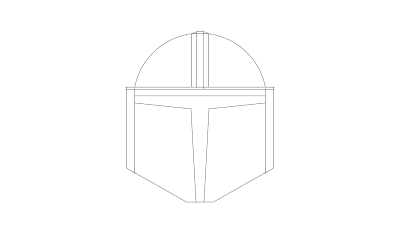
So I'm doing something completely different from what I usually do at this time of year. I just know that The Mandalorian usually comes out at this time of year, and so I decided to make this Mandalorian Helmet. I started out with looking up a picture on Google to see what I could try to base it off of, and I found this one. Once I got it down, I started making a super rough outline of the helmet. Once I got the rough outline done, I knew I could then do some minor adjustments, much like I did with Rocket and Big Jet. I flattened the rough outline, brought the opacity down a bit, and started pretty much from scratch to make the helmet again. Not long after, I got the outline you see below. Now we're getting somewhere! Now I just needed to color it, and shade it. I colored it by selecting the outside with the Magic Wand tool, and on a different layer, filling it with a light gray. I then proceeded to select different parts of the helmet with the Magic Wand, and applying gradien...

Dedication to Grandma Karlene

Image
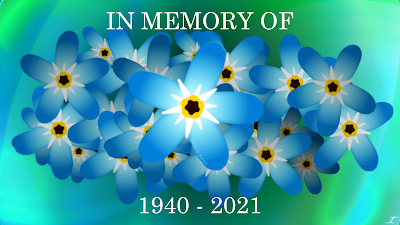
 So my grandparents on my dad's side are now starting to leave this world. My grandma has been suffering with Alzheimer's disease for a long while now. We saw signs of it back in 2013, and it's just been slowly taking it's toll as time has gone by. We live pretty close to them, so we've gone to visit my grandparents many times while my grandma was suffering the disease. 2020 was rough since there was a period that we were not able to go visit them due to the pandemic, and when we felt it was safe to visit them, she was bedridden. Early in 2021 she was put on hospice, so that was hard, but what was sadder still is that I felt that my grandma has been gone for a while. It was especially hard since I was very close to my grandma. She'd come for me and my sibling's birthdays, important events such as graduations and church events, and even come for Christmas and some Thanksgivings. While she didn't stay for very long (average about 3 days), she was there, an...